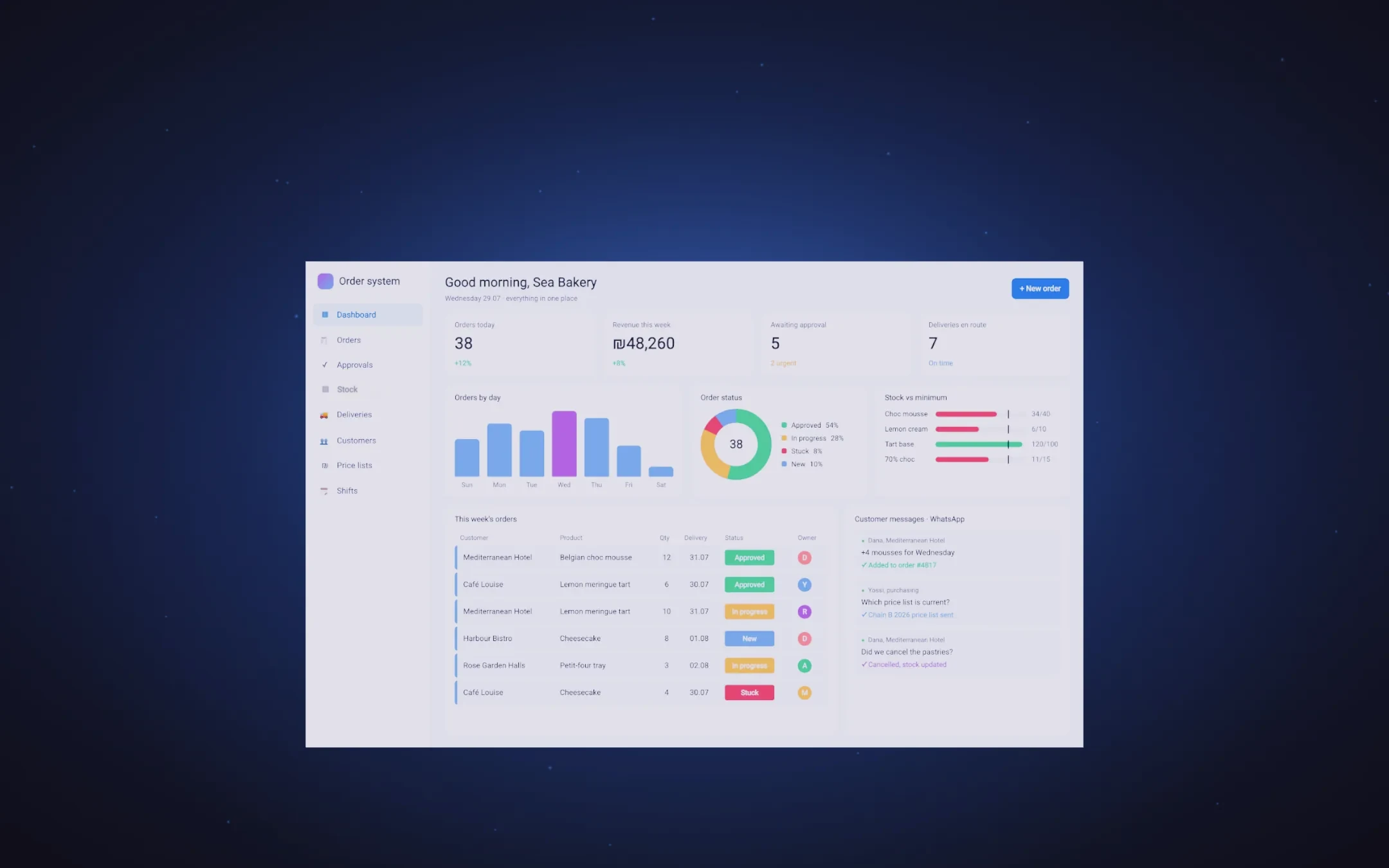
Handwritten orders, spreadsheets, WhatsApp and old systems, connected by our agents into one place that works.
It started with a handwritten slip
Orders arrived on paper, were typed in twice, and sometimes not at all. Now every order is a row on one live board.
Then the WhatsApp group
Changes, questions and cancellations lived in a chat nobody could search. Now every message lands on the order it belongs to.
The spreadsheet that ran everything
One file, three people, colours by hand. Now the numbers update themselves, as a chart.
Three price lists, all of them final
Which one was current depended on who you asked. Now there is one, per customer chain.
An old system that talked to no one
Customers and balances in software from 2011. Now they are one screen, connected to everything else.
Stock counted by hand
A printed count, already wrong by lunchtime. Now stock moves with every order.
Shifts on a whiteboard
Who drives and who packs, crossed out and rewritten. Now the schedule follows the orders.
All of it. One system.
Our agents connected every piece to the one place it belongs. That is what we build.
Scroll to take the system apart, piece by piece ↓
Under the screen
Everyone shows you a screen. We show you what is under it.
The system you just saw is built in four layers. Three of them never appear in a demo.
The screen
What a demo shows
The screens you click. This is where most proposals stop.
The data
Real data in the first week
We connect the system to your real data in the first week, not to a sample sheet. What you test is what you will work with.
The checks
Proof, not a promise
Every system comes with a written contract of what counts as working, and one command that checks all of it. You see the result, not just the screen.
The team
A full department on every project
Security, privacy, database, three-angle QA and design: a specialist AI agent for each, and one person accountable for all of them. What usually only a large organisation gets.
Real systems we built for clients, filmed from their own screens.
Real screens, live system
A property management company: one system instead of the spreadsheets
Hundreds of properties run from spreadsheets, and service calls arriving on WhatsApp. The system is live and the team uses it every day. The film is built from screenshots of its test environment, with names, addresses, phone numbers and ID numbers hidden.
Real screens, system in build
A home pastry kitchen: orders off WhatsApp
A pastry chef who took orders on WhatsApp and the phone, and ran out of oven on busy days. The film is built from real screenshots of the system we are building for her, taken from its development environment, with the business name hidden. It has not launched yet.
Real screens, system in build
A farming and logistics company: one system instead of ten
Supplier invoices passed from hand to hand and work hours reported on WhatsApp. The film is built from real screenshots of the system we are building, taken from its development environment, with the business names hidden. The build continues phase by phase.
We do not build slide decks. We clear the desk.
One system, wired to your real data, running before we call it done.
How we help
We start from what hurts, not from the technology. Each of these stands on its own, and most of the time they work together.
One system for the business
What hurts
Information is scattered across spreadsheets, notes and old software, and nobody sees the whole picture.
What we do
We build a system that fits your business exactly: orders, stock, customers and payments, in one place.
What you get
Everyone works from the same screen and sees the same numbers.
Automations
What hurts
The same tasks every day: copying data, sending reminders, preparing a report.
What we do
The system does them by itself: it moves data between programs, sends messages and prepares reports on time.
What you get
The time that went into manual work goes back to the work that actually needs you.
AI agents in the business
What hurts
Customers ask the same questions, invoices wait to be typed in, and requests pile up unsorted.
What we do
We put AI agents to work that read documents, answer common questions and sort requests, and pass to a person what needs a person.
What you get
Faster answers and less typing, and a person still decides everything that matters.
Connecting the systems you already have
What hurts
You already have accounting, WhatsApp and other software, and they do not talk to each other.
What we do
We connect them: an invoice created in the system reaches the accounting software, and an order from WhatsApp lands in the system.
What you get
You type it once, and the information gets everywhere it needs to be.
Included in every build
Access
Built with real accounts
Every person who uses it gets their own login, set up before launch, not added later as an afterthought.
Data
Built on your actual records
We connect it to your real data before launch, not a spreadsheet standing in as a placeholder.
Support
One team, after launch too
The people who built it are the people you call when something breaks.
How we work, and how you can check it
Clearing a desk is not a promise. It is five stages, and each one has a receipt.
01
First we understand, then we draw
We sit with the people who do the work every day, look at the spreadsheets, the notes and the WhatsApp chats, and draw every screen. You see and approve how it will look before a single line of code is written, and every screen is checked for being readable and easy to use.
Planning · 2-3 working daysReceipt: how readable every colour is
For every colour on the site, how much it stands out from its background, worked out before the design went live.
#F5F5F5  17.18:1  on #121212  (AAA)
#ABABAB   8.16:1  on #121212  (AAA)
#F5C518  11.49:1  on #121212  (AAA)

leading floor: 1.00 (single-line headline only)
02
Built fast, with nothing missed
The screens and the engine behind them are built at the same time, so it takes days, not months. Every word in the system exists in Hebrew and in English, and an automatic check makes sure none is missing.
Building · 5-10 working daysReceipt: no word is missing
A live count of every word on the site in Hebrew and English, checked to match one to one.
$ node -e "compare locales/en.json vs locales/he.json"

en.json   464 keys
he.json   464 keys
missing in he.json: none
missing in en.json: none
03
Tested like a user, not like a programmer
Three separate testers: one makes sure the calculations are right, one that the screens are easy and readable, and one that all the parts talk to each other. Every line of text on every screen is checked for being readable too.
Testing · 1-2 working daysReceipt: every text is readable
Every piece of text on the site measured against what is behind it, at every scroll position.
history
  border-box sample -> "מוקאפ" pill read 3.99  (floor 4.5, FAIL)
  fix: sample the content box, not the 1px accent ring
  content-box sample -> glyphs on #121212, 11.49:1 (AAA)

$ node scripts/verify-text-contrast.mjs
checked 548 on-screen text runs across 76 scroll positions
PASS - every text run clears its WCAG 1.4.3 floor
04
We try to break in before anyone else does
Before the system goes live, we attack it the way a burglar would, against the world's list of the most common weaknesses (OWASP Top 10). Whatever we find is fixed before launch, not after an incident.
Security · 1 working dayReceipt: the security standard
The list of common weaknesses every system is tested against, before launch.
standard   OWASP Top 10
scope      injection · auth · access control · misconfiguration · data exposure
gate       findings fixed before launch, not after an incident
05
We check the live system, not just our own
After it goes live, a real browser opens the real address and goes through the screens, at phone size and at tablet size. Only then do we call it live.
Going live · Same dayReceipt: the live site
Checks run against the real site, right before this part went live.
$ node scripts/verify-text-contrast.mjs
checked 548 on-screen text runs across 76 scroll positions
PASS

$ node scripts/check-mobile.mjs
iphone 390x844   overflow no   touch targets under 44px: 0
tablet 768x1024  overflow no   touch targets under 44px: 0

$ node scripts/verify-scrub.mjs
currentTime advances with scroll: YES
rendered frame changes: YES
reduced-motion leaves it alone: YES
Where we work
Property management
Sportswear
Food
Logistics
Import
Retail
Agriculture
All of it, in 30 seconds
One call. Real scope in 48 hours.
Fifteen minutes, no sales deck. We tell you honestly if this is a fit.